You start a Claude Code session, step away to make coffee, and return 20 minutes later to find it's been waiting for your approval for 15 minutes. The AI finished its work ages ago. It's just been sitting there, politely waiting, while you were completely oblivious.
This happens constantly when you're working with AI coding assistants. They need human approval at key moments, but there's no way to know when that moment arrives unless you're staring at your screen.
What we built
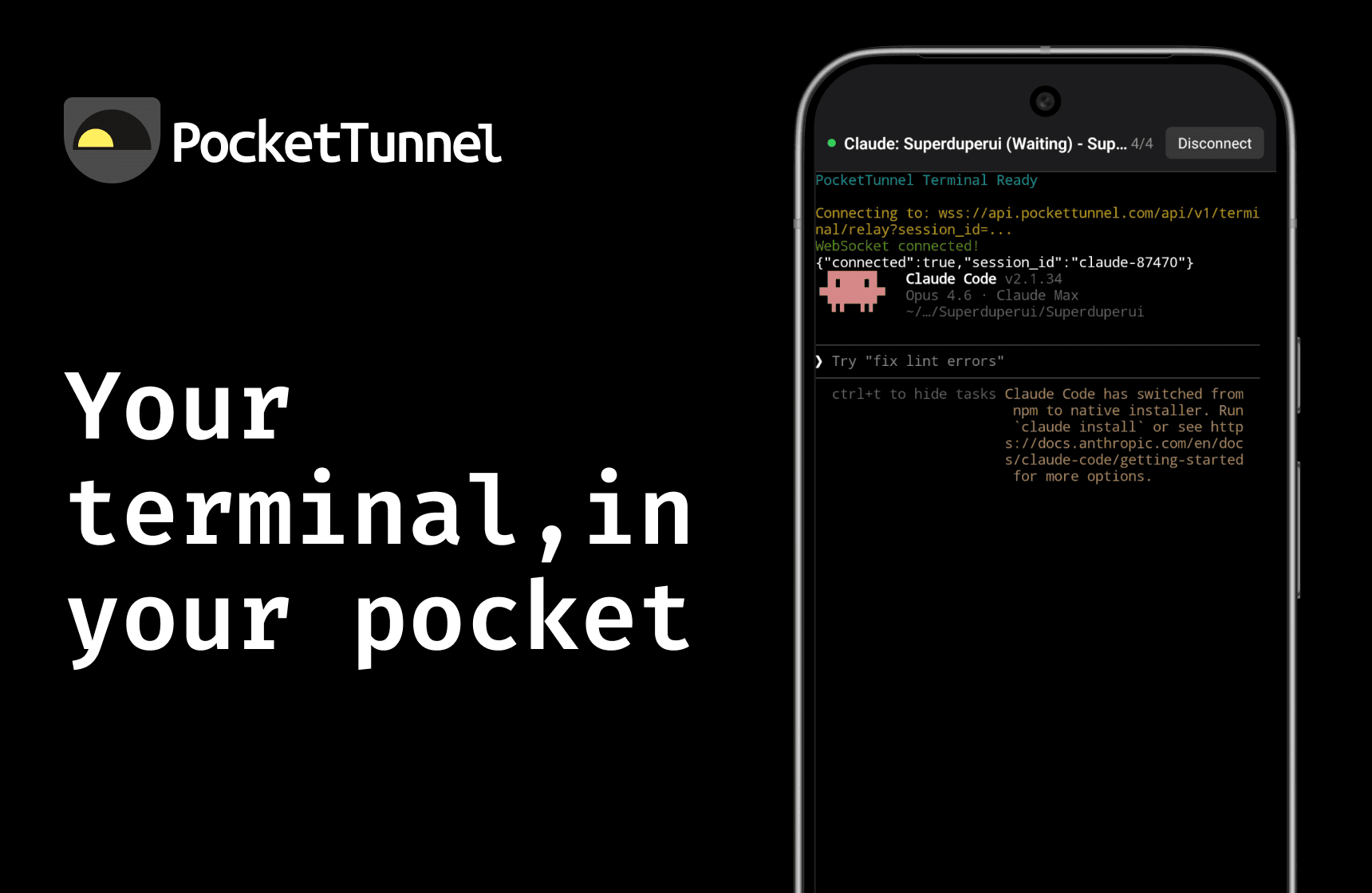
PocketTunnel connects your phone to your Mac's terminal sessions. When Claude Code needs your input, you get a push notification instantly. Tap to review, approve, and keep the AI working - all from your phone.
The app automatically discovers all your terminal sessions across VS Code, Cursor, Terminal.app, iTerm2, and tmux. Each session gets a smart label showing what's actually running - whether that's a Claude Code task, a build process, or an idle shell.
Two key features make this different from existing mobile terminal apps:
Claude Code awareness. The Mac agent detects when Claude is running and parses its output to understand the current task. When Claude enters a "waiting for input" state, it triggers a push notification. Connect to that session and the terminal automatically runs claude --continue to resume exactly where you left off.
Session discovery. Instead of manually configuring SSH connections, the agent scans for active terminal sessions and presents them with meaningful labels. You see "Claude: Refactoring auth module" rather than "pts/3".
How we built it
The stack has three parts: a Mac menu bar agent written in Rust using Tauri, a mobile app built with Expo and React Native, and a coordination server in Go.
We chose Tauri over Electron for the Mac agent because memory matters in a menu bar app. Tauri uses around 45MB compared to Electron's 300MB. The entire agent binary is about 15MB.
For mobile, Expo made cross-platform development straightforward. The terminal emulation uses xterm.js running in a WebView - getting this working required some fiddling with dynamic script injection rather than inline scripts, but once sorted it handles ANSI colours, scrollback, and all the terminal edge cases properly.
The coordination server handles authentication (GitHub OAuth), session state, and message relay between devices. Direct peer-to-peer connections would be ideal, but they're unreliable across different network configurations. We went with server-mediated relay for the MVP - your terminal data is encrypted end-to-end, but the connection routes through our server.
What went well
The Tauri + Rust combination delivered exactly what we hoped for. Native macOS feel, tiny footprint, excellent performance. Getting the frosted glass vibrancy effect working on the menu bar dropdown required some specific configuration, but the end result looks properly native.
Session discovery turned out to be more straightforward than expected. Scanning for VS Code and Cursor instances, parsing tmux session names, detecting the working directory of shell processes - the Unix process model makes this information accessible if you know where to look.
The server relay approach, while a compromise on architecture purity, simplified the entire networking story. No NAT traversal complexity, no firewall configuration, reliable connections from day one.
What was harder than expected
Terminal input latency on Android nearly derailed the project. The first implementation was unbearably laggy - each WebSocket message triggered an immediate render, and small PTY read buffers meant lots of tiny messages. We fixed it with 16ms write batching (60fps), larger buffers, and increased channel capacity. Simple changes, but it took a full day of profiling to identify the root causes.
Claude detection is inherently heuristic. We parse the terminal output looking for patterns that indicate Claude is waiting. This works today, but if Anthropic changes the output format, our detection breaks. It's a fragile dependency we'll need to monitor.
Push notifications added surprising complexity. Token registration, platform differences between iOS and Android, handling expired tokens, managing background app states - none of this is technically difficult, but it's a lot of surface area to get right.
What we'd do differently
We spent time early on exploring direct peer-to-peer WireGuard connections before accepting that server relay was the pragmatic choice for an MVP. Starting with relay and adding P2P later would have been faster.
Input batching should have been implemented from day one, not after discovering lag issues. We knew mobile terminal apps need to be responsive - we should have optimised proactively rather than reactively.
Database migrations were manual ALTER TABLE statements, which is error-prone. A proper migration system from the start would have prevented a few 500 errors during development.
The approach in practice
PocketTunnel took about two weeks of focused development. The total codebase is around 10,000 lines across three languages - small enough to understand completely, large enough to solve a real problem.
This is how we approach Build Sprints at Precode. Pick a specific problem, choose proven technologies, build the minimum that actually solves that problem, and ship. No feature bloat, no speculative architecture, no months of planning.
The 52 Products challenge lets us practice what we preach. We're not consultants advising clients on how to move fast - we're practitioners shipping production code weekly. When we tell clients an Build Sprint delivers working software in 5 days, we mean it.
Try it yourself
PocketTunnel is live at pockettunnel.com. If you're working with Claude Code or similar AI assistants, the push notifications genuinely change how you work with these tools.
If you're building a product and want to move from idea to deployed MVP without burning months, that's exactly what our MVP Sprint delivers. Learn more about how we work, or just follow along as we ship the remaining 41 products in this challenge.